Microsoft has released the new Insider Preview of Windows 11 known as the build 22523 in the Dev Channel on the Windows Insider Program.
There are many changes in this new update like:
Snap Groups
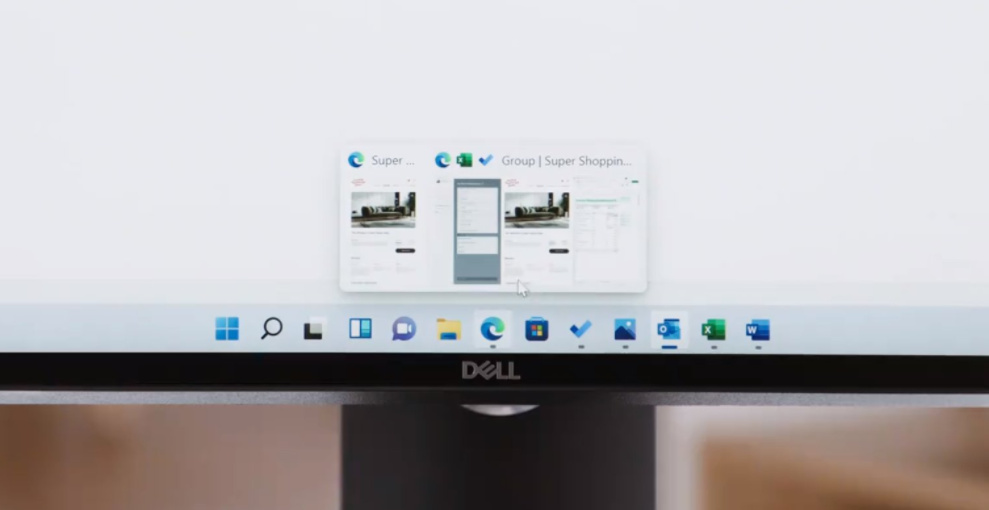
Microsoft has finally started to roll out snap groups which were originally present in Windows 11 Keynote. We can press the ALT+TAB key to access them.
Note that this feature is currently in its beta stage so you might experience some bugs and issues.
Adding/Removing Media Servers
In this new build of Windows 11 Insider Preview, Microsoft has added an option to Add or Remove Media Servers under This PC.
The option can be accessed when you click the “…” button in the command bar.
One step closer to removing the Control Panel
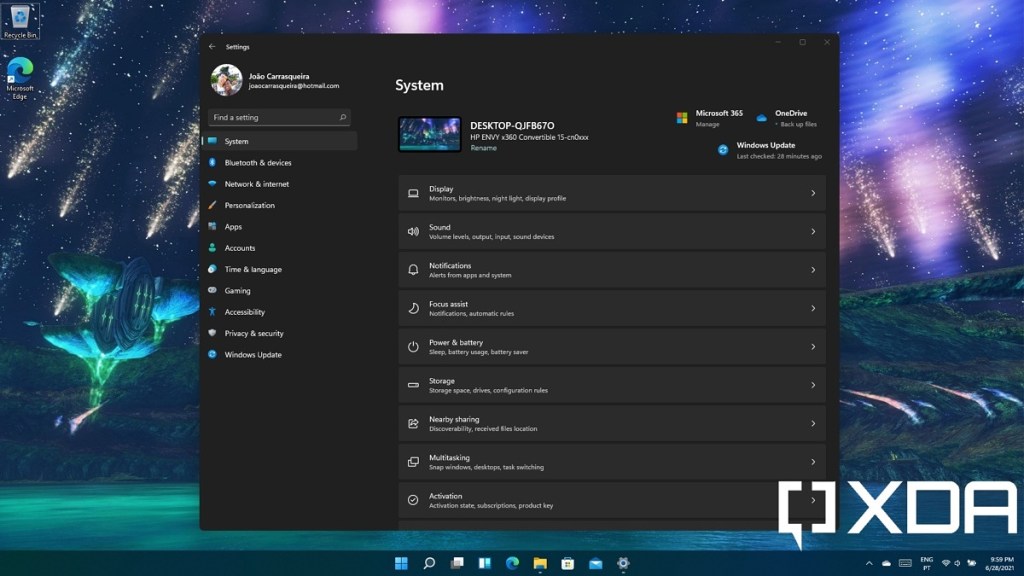
Microsoft has worked very hard to replace the Control Panel with the new Settings app. The Settings app was first discovered in 2012 with the release of Windows 8 and has seen several updates and changes since then.
In this new build of Windows Insider, Microsoft has implemented/ported many options from the Control Panel to the Settings App in Windows 11. It includes:
Programs and Features:
Links to uninstall or changes will now open in Settings > Apps > Installed Apps. instead of Programs and Features in Control Panel.
Uninstall Updates:
Microsoft moved the Uninstall updates option from the Control Panel to the Settings app under Settings > Windows Update > Update History.
Bug Fixes
- The battery icon will no longer show a battery percentage that’s greater than 100 percent.
- App icons will no longer overlap or interfere with date and time when using multi-screen setups with a lot of apps open.
- After enabling Spotlight, your next image should arrive a bit faster than before.
- Added additional icons to the context menu entries of the Spotlight collection.
- Microsoft fixed an issue that was causing the link to not open properly when using the hover feature on the widget board.
- Settings App should no longer get cut off from the sides when resizing its Windows.
- Microsoft fixed an issue where the Settings app was crashing when trying to pair a Bluetooth device under Bluetooth & Devices option.
- Added a bunch of keywords to enhance the Voice Access feature.
Known bugs and issues
- You may be unable to sign in to certain apps. A simple restart should be able to fix the problem.
- Some insiders are experiencing drivers and firmware updates failures.
- You may be unable to enter text into Search from the Start. A simple restart of the Run dialog box should be able to get rid of it.
- Taskbar will sometimes flicker when switching the input method.
- The network icon sometimes goes missing for no reason. A simple restart of explorer.exe from the taskbar should be able to fix that problem in no time.
- After clicking the search icon, the search panel may not open, Try restarting Windows Explorer.exe to fix it.
- Under Settings, the available Wi-Fi Networks show incorrect Signal Strength.
- Settings App may crash when going to the System > Display > HDR.
- There’s a blank entry under Bluetooth & Devices under the Settings App.
- Spotlight images don’t migrate on the update, leaving you with a black desktop background, this will be addressed in the next build.
- Changing the taskbar alignment can lead to the Widgets icon being disappeared from the taskbar.
- Widgets app may temporarily be blank.
- With the taskbar left-aligned, information such as temperature in Widget app may not show, this will be fixed in the future build.
written by abdullah.
 AB Tech